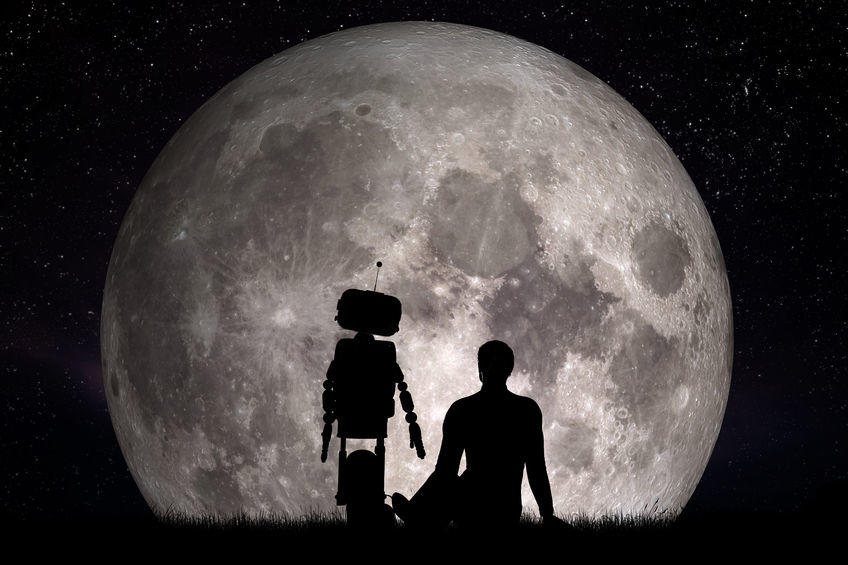
In a matter of a few short years, the popular understanding of artificial intelligence (AI) has evolved from murderous movie robots like HAL from 2001 A Space Odyssey or the relentless T1000 from Terminator 2, to the quirky digital assistant living in your phone that can schedule your appointments or help you find the way to your next meeting.
AI is no longer an abstract idea that serves as a convenient foil for science fiction writers. Instead, it touches our digital interactions every single day. From our customized social media feeds, to Internet searches, to the customer service chatbots that solve our problems online, AI is at work everywhere. As scientists continue to perfect the technology and as existing AIs continue to learn and grow, it will become an indispensable and integral part of our daily lives.
Even though AI is still in its infancy, it’s already had a huge impact on the marketing world. Today, savvy marketers are using AI to increase efficiency, drive conversions, and improve the consumer-facing experience. All can tie to sales impact. It’s difficult to predict how thoroughly AI will impact marketing even five years from now.
But one thing’s for sure, marketers must start familiarizing themselves with AI and its impact in marketing outreach and sales engagements.
Machines that Can Learn
Humans used to teach machines in very simple ways. Programmers manually entered code that directed computers to respond to certain inputs with corresponding outputs. But with the rise of AI and machine learning, programmers can now teach computers to learn without having to program them with a static set of rules.
Through machine learning, programmers show a system millions of examples and scenarios, which it then uses to teach itself how to respond.
At the current level of development, AI still has trouble fully recognizing nuance or connecting disparate threads into something provocative and original. As a result, AI can’t take over human roles that require emotional intelligence or creativity, like managing people, strategic planning, or high-level business development.
So marketing and sales jobs, in general, are safe (for now). See my post on “Humans vs. Machines, Is Content Marketing Doomed.” Instead, AI’s impact in marketing is in areas where automation can save time and money, provide consumers with a more personalized digital experience, or offer insights on seemingly related patterns based on big data.
How AI Helps Marketing
1. AI Increases Efficiency
AI’s biggest advantage is that it can perform calculations with a scope and speed humans just can’t match. That makes it the perfect tool to take over some of marketing’s more repetitive and labor-intensive tasks. By inputting only a few examples, AI programs can produce thousands of variations of ad copy or images. Programmatic advertising automates the ad buying process to optimize for the lowest cost. Some companies are also using AI to pull data from different sources and create reports humans can use to make decisions.
AI can even produce original content. Alibaba — the Chinese e-commerce giant — has developed a copywriting tool that automatically generates product information. By examining millions of different existing samples on the Alibaba platform, the AI can now produce 20,000 lines of content a second and is used a million times per day by site merchants.
Tools like these free human workers from low-value tasks that machines are better equipped to perform. In addition allowing them to focus their attention on the higher-level creative aspects of marketing. But it doesn’t stop there. Many marketers are also using AI to gain a deeper understanding of consumer’s purchasing behavior in order to help them with their future purchase decisions (and hopefully buy more).
2. AI Drives Conversions
One of the biggest marketing shifts that accompanied the digital age was the loss of brand authority. Consumers no longer take brands at their word or passively consume advertising messages. Instead, they rely on careful online research and social proof to inform their buying decisions. The goal of modern marketers is to deliver timely and relevant content that helps them better navigate their digital experience. This is where AI comes in.
AI can scan and interpret vast amounts of data in search of specific recommendations based on user activity. Retail giant Amazon is a master of this technique. Using purchase and browsing information, the Amazon recommendation engine provides users with highly personalized product recommendations through onsite ads, email campaigns, and remarketing all at once.
This strategy has proven highly successful for Amazon, as 35% of the company’s revenue is generated by its recommendation engine. Other notable brands like Netflix and Spotify also use recommendation automation to present their users with new, relevant content and in turn, keep them engaged longer. For e-commerce sites, AI-based recommendations will serve as a competitive advantage and accelerate revenue generation.
3. AI Improves the Consumer-Facing Experience
In addition to personalized product recommendations, AI can also deliver personalized user experiences. Real-time personalization, for example, uses anonymous IP information to classify website visitors and deliver tailored content. This could be anything from customized copy and images to personalized offers and promotions, or inducements to take further action.
Marketers can also use AI to create personalized conversational experiences using natural-language processing. If you’ve ever used an online chatbot, you’ve probably already interacted with this technology. However, it goes well beyond customer services applications. As part of the promotional campaign for Guardians of the Galaxy 2, Marvel Entertainment created an online destination that allowed users to chat in real-time with Peter Quill a.k.a. Star-Lord, the hero of the Guardians of the Galaxy universe.
Today’s consumers just won’t respond to a one-size-fits-all marketing message. So automated personalizations like these are a great way for marketers to meet consumers where they are while having a little fun along the way.
Where Does AI Go From Here?
So as we’ve seen, AI plays a big role in the marketing universe even though it’s currently limited to relatively simple input/output scenarios. But every day we inch closer to marketing’s ultimate goal: relevance at scale. Right now, marketers do a great job of segmenting their audience. They might be segmented by specific industries, behaviors, demographics or other attributes. And even though this segmentation may be useful, it still doesn’t paint a perfect picture of who we are, what we want, or what motivates us.
This could be the area where AI can impact marketing the most. By accessing and analyzing the incredible amount of data we’re creating every day, AI might one day be able to deliver hyper-personalized content and hyper-personalized product recommendation and — in essence — create a unique experience for everyone.
It’s impossible to say when this “nirvana” will happen. But AI is growing at an incredible pace and marketers who ignore these tools will be left behind.
Fortunately, you don’t need a computer science degree to get started. Many popular marketing tools already include AI functions and features in the back-end. So you’d be smart to start exploring how it works and how you can use the tools. Because sooner or later, that quirky digital assistant living inside your phone will be more powerful than you could ever imagine.
#itscoming
——–
Read more about how brands and companies leverage VR and AR to improve their sales and marketing outreach. Check out my recent post with examples from Ikea, Uber, BMW and more.

What can Pam Didner do for you?
Being in the corporate world for 20+ years and having held various positions from accounting and supply chain management, and marketing to sales enablement, she knows how corporations work. She can make you and your team a rock star by identifying areas to shine and do better. She does that through private coaching, keynote speaking, workshop training, and hands-on consulting. Contact her or find her on LinkedIn and Twitter. A quick note: Check out her new 90-Day Revenue Reboot, if you are struggling with marketing.